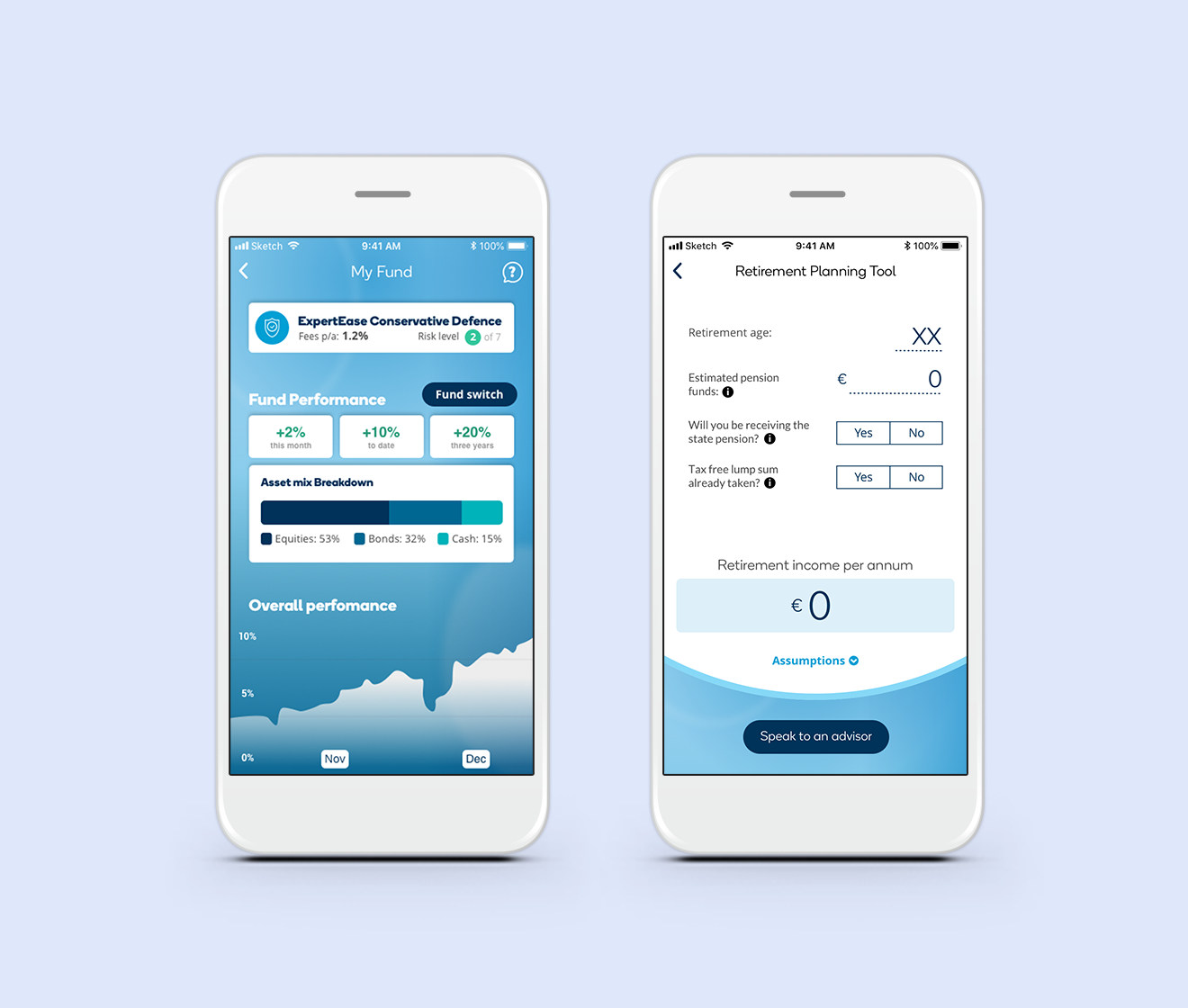
Ireland’s first digital retirement solution
KBC, a European bank, wanted to enter Ireland's pensions and retirement market with something no competitor offered: letting customers manage their own retirement account online, similar to managing an account-based pension, instead of only through an advisor. As UX lead, I took this from a blank page to a compliant, working product.
The Impact
In the first 6 months of this product going live, overall customer conversion rates increased by 32%
Facing a significant compliance roadblock for the onboarding experience, I pivoted 80% of my consumer-facing design patterns into an internal advisor-facing tool, saving months of rework.
The problem
Most people find retirement products confusing and avoid engaging with them until they absolutely have to. In early research, people told us plainly: "it's very complicated, it overwhelms me" and "I don't understand anything about investments." That avoidance has real consequences, since people who don't engage with their retirement savings tend to make worse decisions about them later. KBC needed a product that didn't just function correctly, it needed to make people feel capable enough to actually use it.
Setting the design direction
Having little knowledge of post-retirement products, I needed to understand them thoroughly and quickly. I organised a deep dive with the team to map out product fundamentals, review regulatory constraints, and begin research into user needs, behaviours and pain-points.
Three primary questions informed my design strategy:
Taking the fear out of the unknown
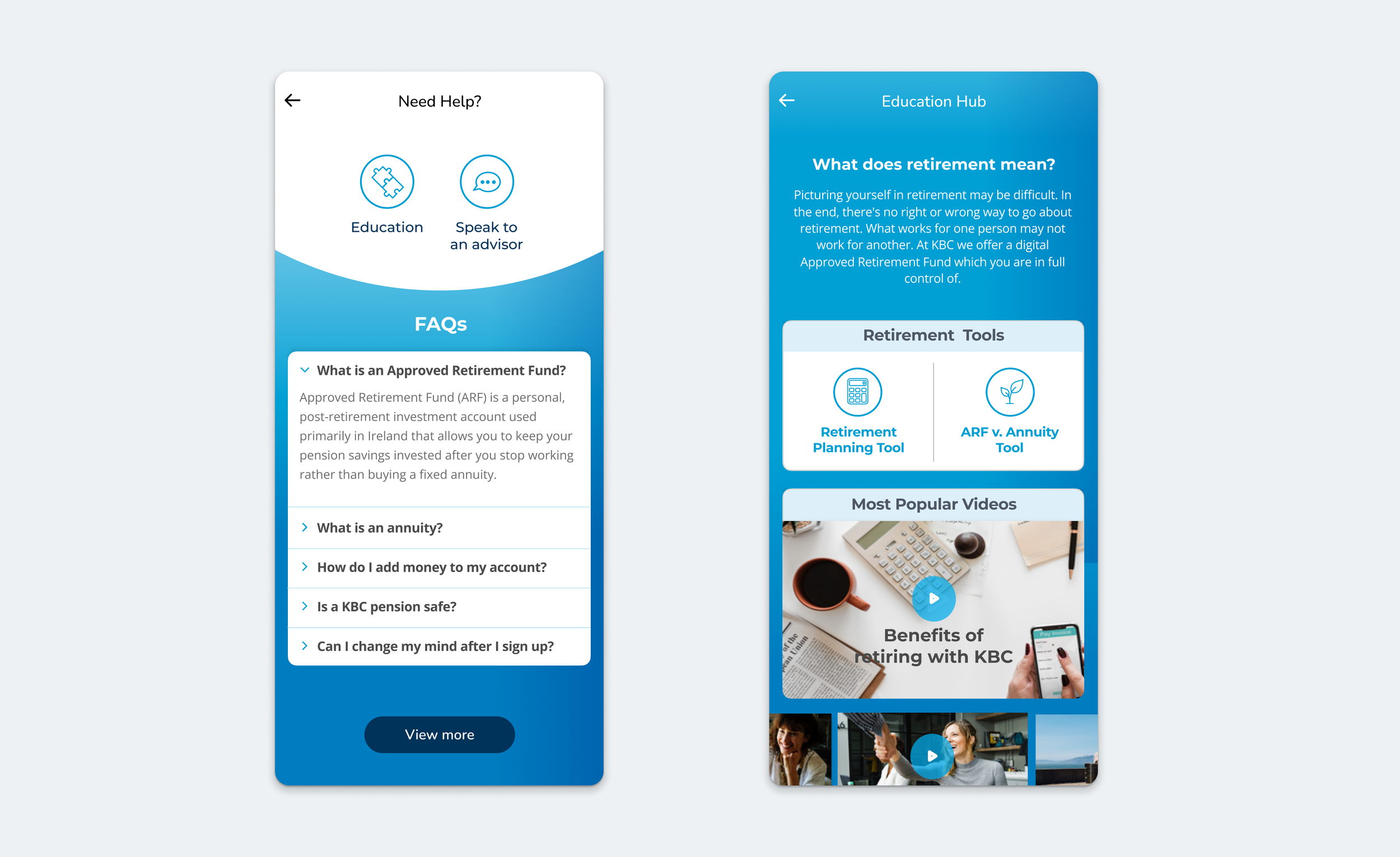
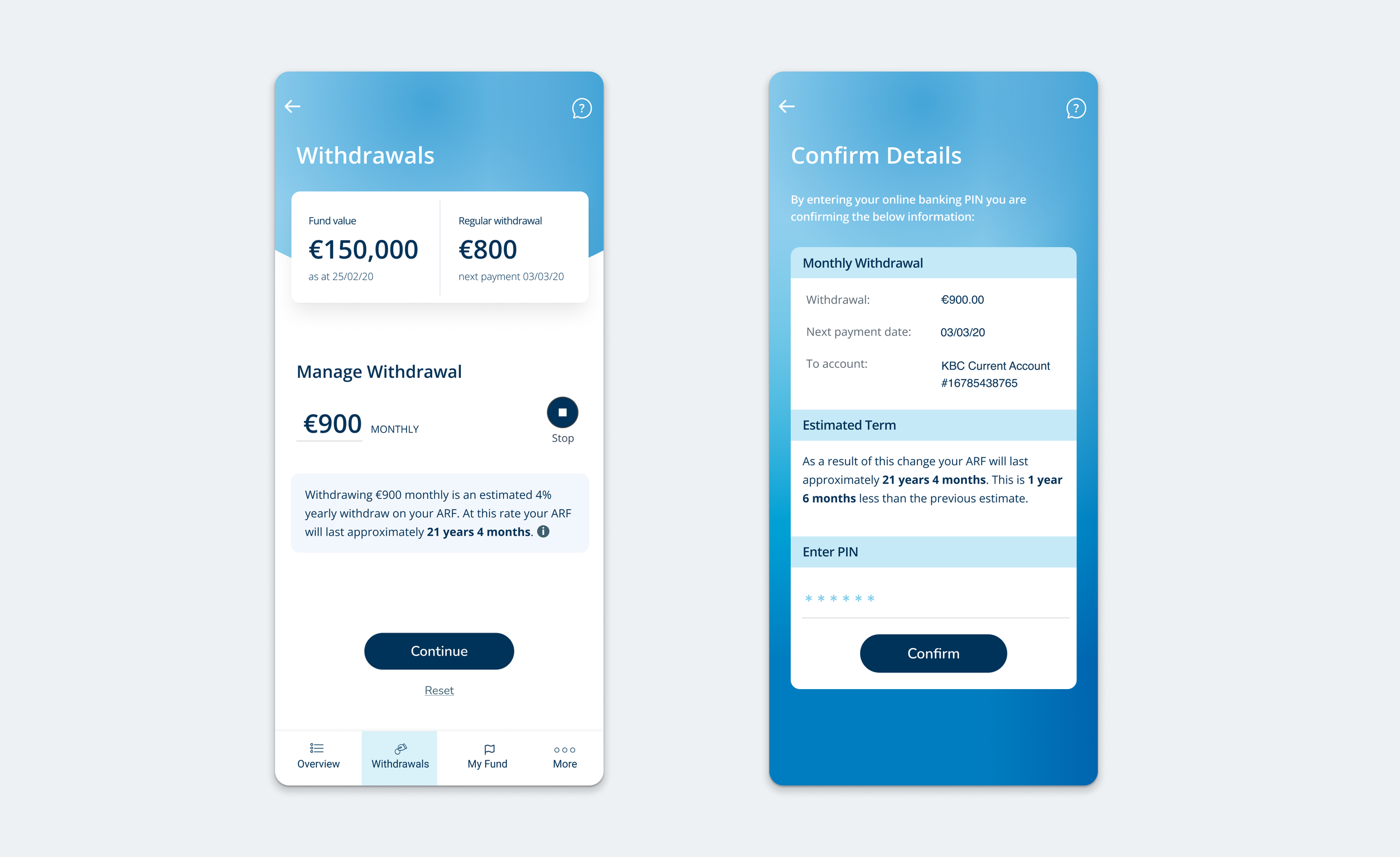
The core of my design strategy was education. Every screen had quick access to an education hub, with plain-language FAQs, short videos, and a direct link to phone or chat with an advisor. I ran user testing specifically on the wording of each step, since using language people already understood made the product easier to learn and trust. Before anyone confirmed a change to their retirement fund, they saw exactly what it would mean for their money, so they could adjust their decision before locking it in.
Designed for confidence
Another key to my design strategy was to make people feel in control of their financial future, not more anxious about it. I designed the main screen to give a clear overview of the user’s account with large, easy-to-tap access to the main actions. I ensured there was a clear way to exit any interaction, since knowing you can exit builds confidence to start in the first place.
I kept the interface clean and spacious so that information could be easily consumed. By minimising the cognitive load, the user is more confident in their understanding of information and their subsequent decision making.
Digital ambition meets regulatory reality
Regulation required that KBC ensure each product recommendation genuinely suited the individual's circumstances. I proposed many solutions to satisfy this in the onboarding flow - learning modules, screening questions, up front user liability acceptance - and Legal rejected all of them. They ultimately required a financial advisor to personally assess each customer over the phone at two points in the process, blowing out the onboarding timeline to two or three weeks.
At that point, I made the call to redesign the experience entirely: instead of a mostly-digital journey with mandatory advisor check-ins bolted on, the onboarding would happen with an advisor from the start, and the digital product would simply handle appointment booking and document upload. It wasn't the outcome I wanted, but I don't think a journey should be forced to look digital if that makes it worse. The upside was that my original screens didn't go to waste, I adapted them into an onboarding tool for the advisors themselves, which my PM later pitched and got approved as its own project.
Onboarding task flow with advisor interventions
Hi-fidelity wireframes of the different solutions designed for Legal concerns - upfront consent, learning module, and screening questions.
Refining the experience
Once we had a working prototype, we tested it with 12 people two to five years from retirement. Some key things we learned: people felt safer making decisions face to face with an advisor, people were at very different stages of decision-readiness and wanted that reflected in how they booked appointments, and the plain-language impact statements genuinely increased people's confidence in their choices.
Using these learnings we added radio buttons to determine where users were in the decision journey, this made users more comfortable in proceeding with appointment booking. We kept the optional document upload as it still added value without being a barrier to completion.
Updated appointment booking designs
Learnings
Stewardship over shipping
It's easy to equate success with getting a feature out the door. This project taught me that real stewardship sometimes means pulling a feature that doesn’t offer the original intended value.
Internal tools deserve love
Applying the same design standard to the advisor tool that we used for customers didn't just make advisors happier, it made them faster and more accurate too.